Your brand. Your logo. Your app store listing. Zero trace of us.
Every IPTV provider and reseller needs an app their customers recognize as theirs. Generic players with someone else's branding erode trust and make your service look disposable. Our white-label IPTV app ships with your name, your logo, your colors, and your splash screen — and the technology underneath is built specifically for operators who need uptime, not viewers looking for a free player.
100% your brand — logo, name, colors, app icon, splash screen, Play Store listing
Smart DNS auto-switch — ISP blocks one DNS? App connects to the next in seconds
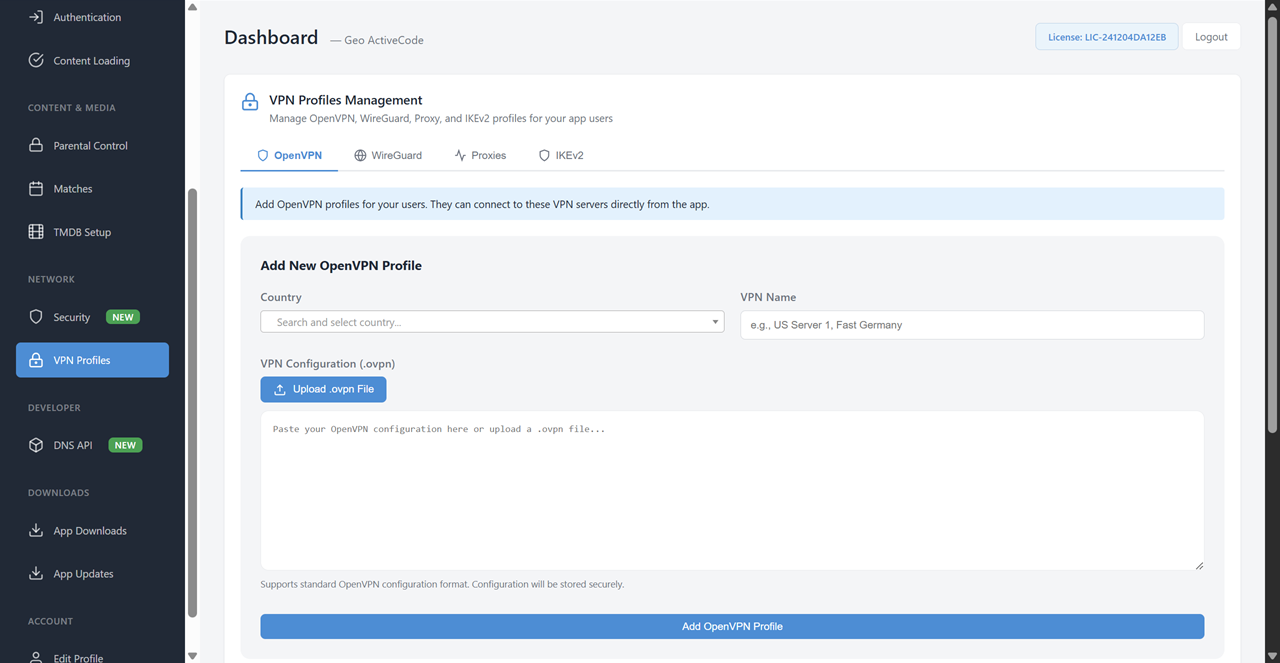
4-type VPN built in — OpenVPN, WireGuard, IKEv2, HTTP Proxy. Push from your panel
Firebase-powered — apps run on Google's cloud. 99.99% uptime, even if your server is down
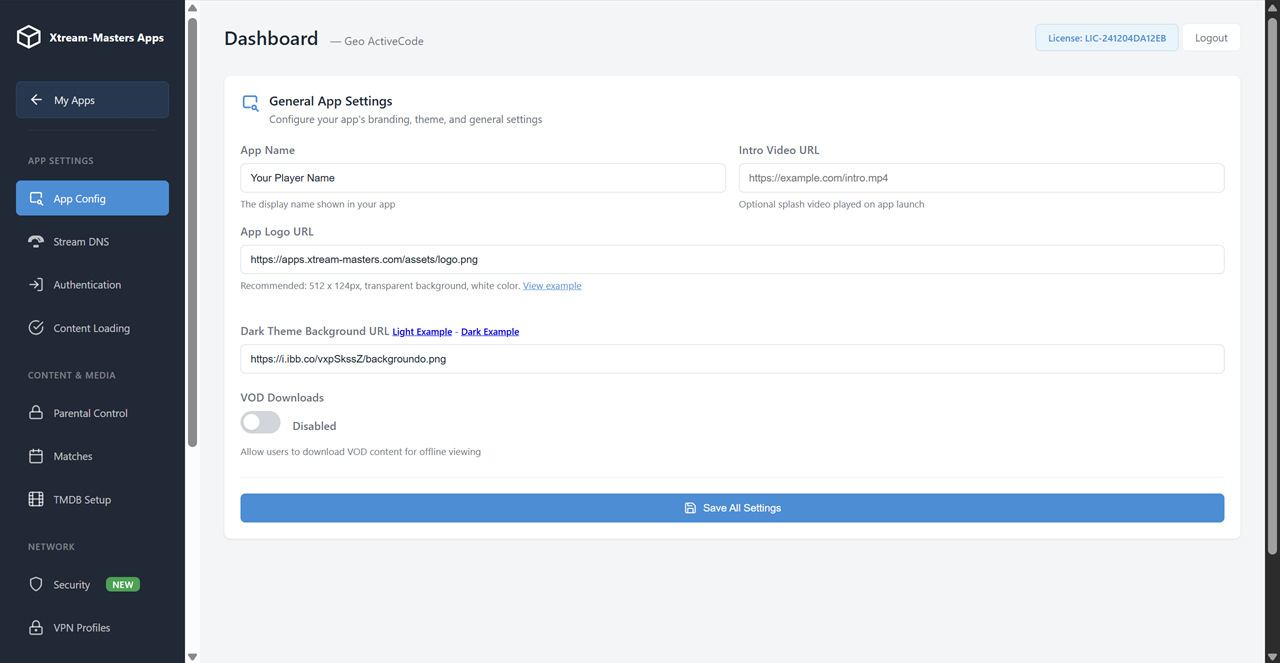
Full control panel — manage DNS, VPN, branding, and security remotely. Changes go live instantly
$299 one-time — no monthly fees, no per-subscriber charges. Ready in 3-7 days
Most IPTV providers use generic players that look like every other service on the market. Your customers can't tell you apart from the competition — and when they can't, they leave for whoever is cheapest. A white-label app changes the equation: your brand is what they see, what they trust, and what they stay with.
Your app icon, splash screen, in-app logo, and color scheme. Every visual element reflects your brand. No "powered by" watermarks, no third-party credits.
100% BrandedPublished under your developer account with your app name, your description, your screenshots. Customers find and install your app — not a generic player.
Store ReadyYou get a Play Store-ready APK + AAB and a full admin panel. Upload to Google Play, distribute to your users, and manage everything from your dashboard.
Play Store-ReadyChange logo, colors, intro video, and app name from your control panel. Changes push to all user devices instantly through Firebase — no app update required.
Remote ControlWhether you run your own IPTV server or resell lines from a provider, this white-label app is built around your business model. Not a repurposed consumer player — a professional tool designed for operators who need to reduce support tickets, increase retention, and protect their service from DNS blocks and ISP interference.
Run your own Xtream-Codes or compatible panel? Hardcode your DNS entries, push VPN profiles, and deliver a branded experience to every subscriber. One app covers all your users across all devices.
Give your reseller business a professional face. Your customers get an app with your brand — not a generic player with a login screen. Multi-DNS means you can switch providers without breaking user apps.
Branded apps build loyalty. When customers see your logo every time they stream, your service stops being interchangeable. Churn drops because switching means losing the familiar experience.
Smart DNS auto-switch and built-in VPN mean users stay connected without calling you. No more "the app isn't working" messages every time an ISP blocks a DNS — the app handles it silently.
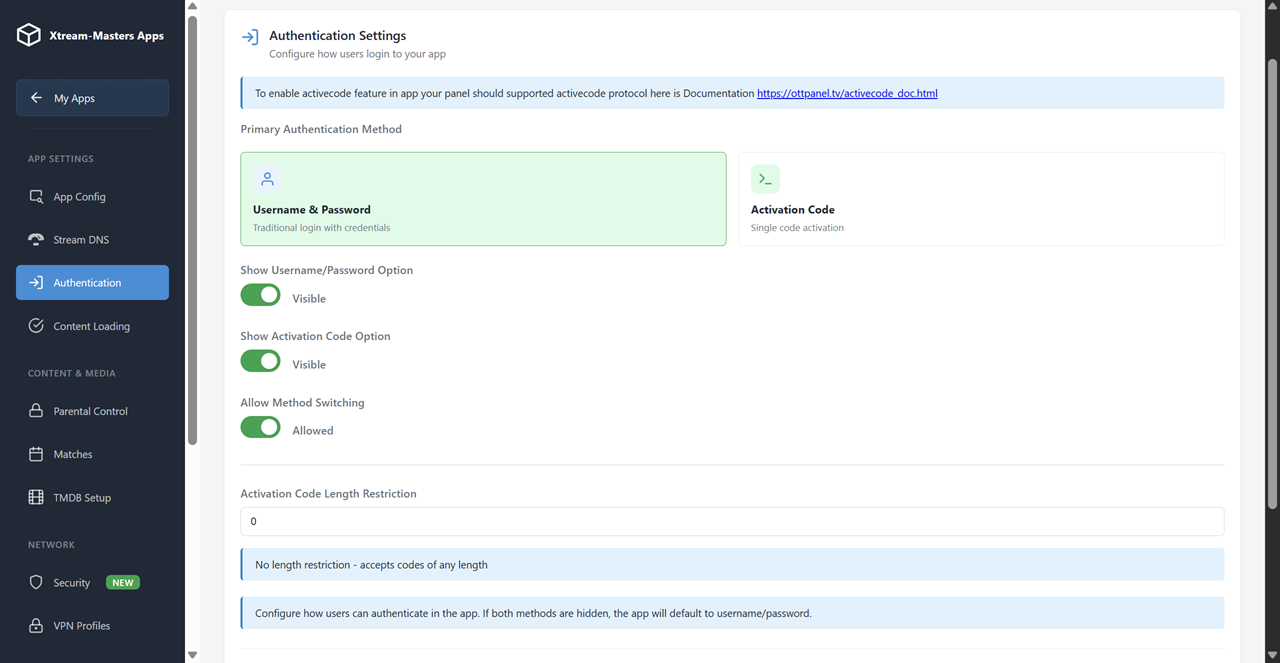
ActiveCode device binding prevents password sharing. One code, one device. Users can't hand out their login to five friends — your subscriber count reflects actual paying customers.
Your branded white-label IPTV app is ready in 3-7 business days. No months of development, no $10,000+ custom builds. From order to Play Store-ready APK in under a week.
Looking for a deeper dive into the reseller use case? See our IPTV App for Resellers page.
Two technologies working together to keep your users streaming. Smart DNS handles ISP-level DNS blocking automatically. Built-in VPN adds an encrypted tunnel when DNS alone isn't enough. No other white-label IPTV app ships both.
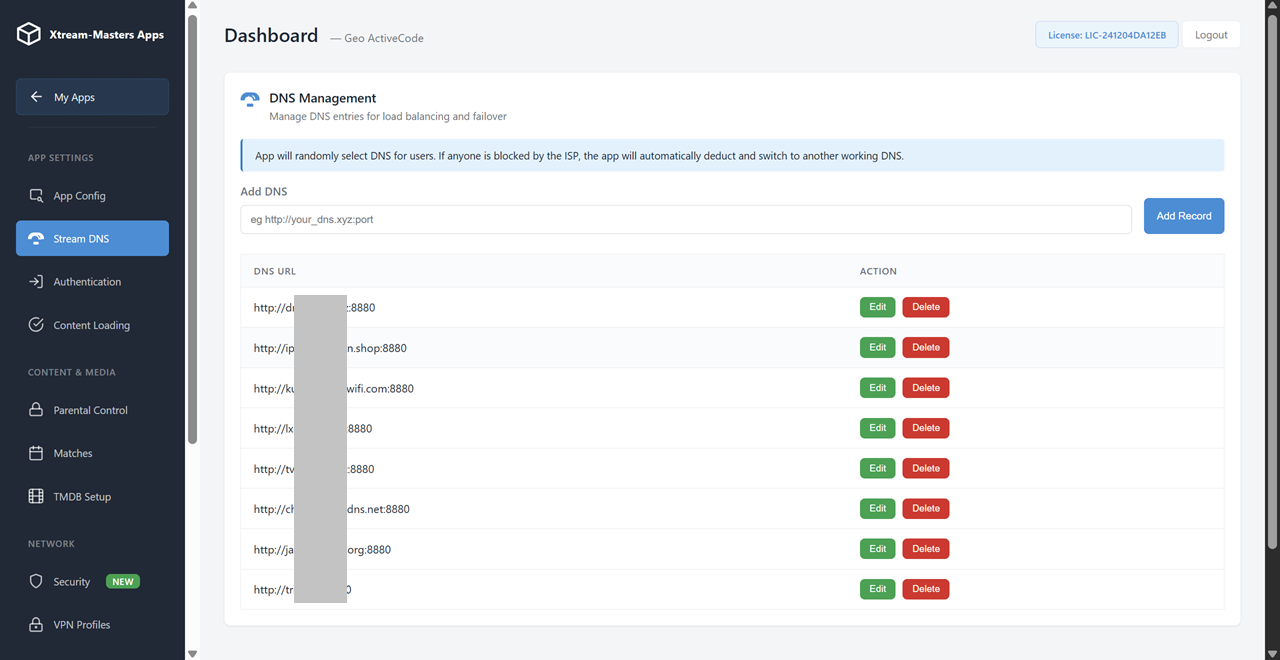
Add unlimited DNS entries from your panel. If the primary DNS is blocked by a user's ISP, the app detects it in under 2 seconds and switches to the next working one. Zero downtime, zero user action required.
Industry-standard protocol. TCP and UDP modes, custom ports, maximum compatibility. Push profiles from your panel or let users import their own .ovpn files.
The fastest VPN protocol available. Ultra-low latency, modern cryptography, battery-efficient. Best choice for live streaming where every millisecond of lag matters.
Auto-reconnects when users switch between WiFi and mobile data. Enterprise-grade encryption. The best protocol for mobile users who are always on the move.
Lightweight bypass with near-zero speed loss. HTTP, HTTPS, and SOCKS5 support. Simplest to configure when you just need to route around a block without full VPN overhead.
Upload VPN profiles to your admin panel. They reach all user apps instantly through Firebase. Users see available servers organized by country with flags — one tap to connect.
Want the full app + panel bundle? See White-Label IPTV App + Control Panel.
Your white-label IPTV app works on every Android-based device your customers own. One codebase, one branded experience — optimized for each screen size and input method.
Touch-optimized UI with gesture controls, picture-in-picture mode, and Chromecast support. Your customers stream anywhere.
Large-screen layout with split-view EPG, landscape mode, and multi-window support. The full experience on a bigger canvas.
Full Leanback UI built for the TV remote. D-pad navigation, voice search, quick channel switching, and 4K output.
Native Fire OS support. Works with Alexa voice commands, the Fire TV remote, or sideloaded via APK. The most popular IPTV device covered.
Compatible with any Android TV box or set-top box. HDMI CEC support means your customers control the app with their existing TV remote.
Need Fire TV Stick specifics? See White-Label IPTV App for Firestick.
One dashboard controls every aspect of your white-label IPTV app. Change DNS entries, push VPN profiles, update branding, manage security settings — and every change reaches all user apps instantly through Firebase. No app updates needed, ever.
Add, remove, or reorder DNS entries. See which are active and which are blocked by ISPs in each region. All changes reach user apps instantly.
Upload OpenVPN, WireGuard, IKEv2, or HTTP Proxy profiles. Organize by country with flags. Users see a server list and connect with one tap.
Change your app's logo, name, color scheme, and intro video from the panel. Changes propagate to every installed app within seconds.
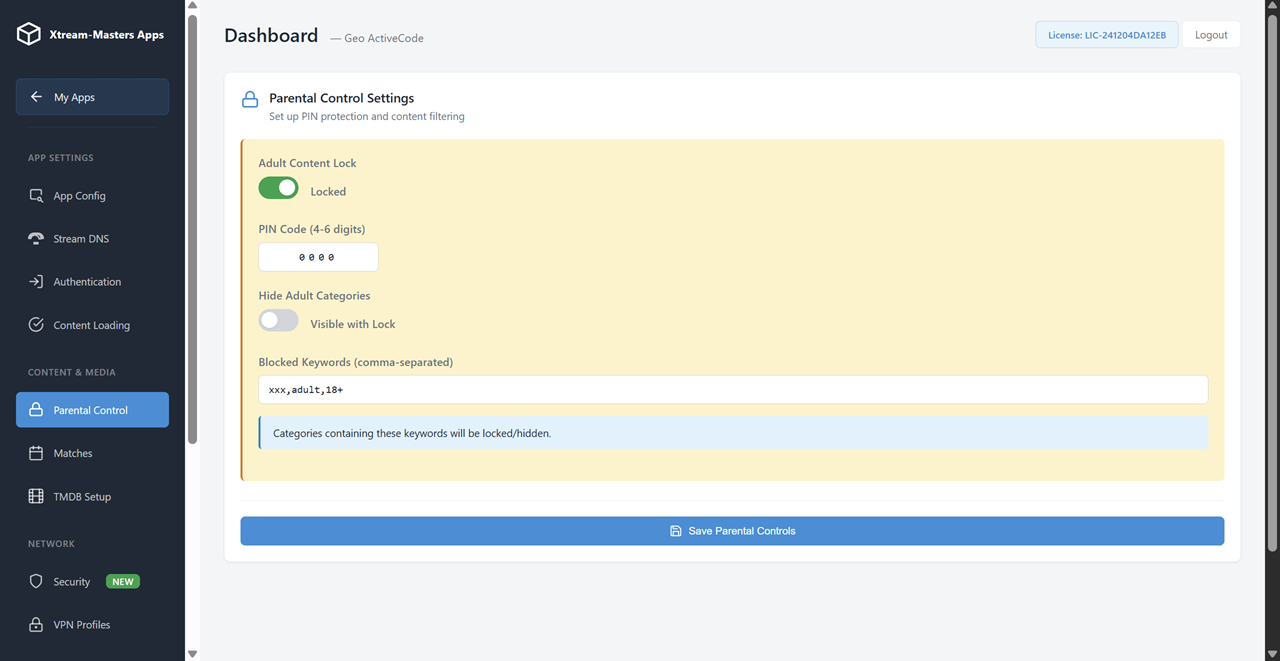
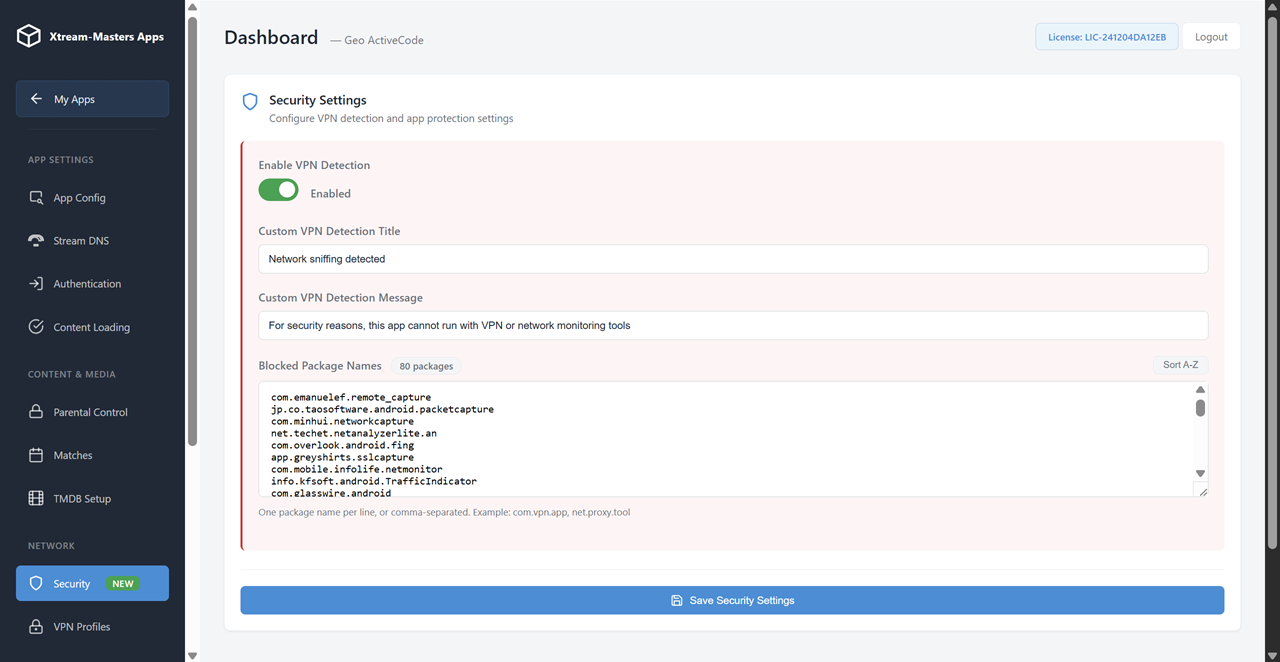
Block screen recorders, detect VPN/sniffer apps, set parental PINs, and filter adult content by keyword. Protect your service and your users.
Toggle between ActiveCode (device-bound) and username/password login. Bind devices to prevent account sharing across your subscriber base.
Your panel sends configuration to Google's Firebase. Apps pull from Firebase — not from your server. Server down? Users keep watching. 99.99% uptime guaranteed by Google.
Explore the full app + panel bundle: White-Label IPTV App + Control Panel
Most IPTV apps connect directly to the provider's server. If that server goes down, gets attacked, or is blocked — every user loses access. Our white-label IPTV app connects to Google's Firebase instead. Your admin panel pushes settings there. Result: your users always have access, even when your server doesn't.
Apps talk to Google, not your server. Perform maintenance, migrate, or handle DDoS — your white-label IPTV app keeps streaming.
Update DNS, VPN, or branding from your panel. All user apps receive the changes within seconds through Firebase's global CDN.
Google's servers span the globe. Your users in Europe, Asia, Americas — all get fast response times regardless of where your server is hosted.
DNS, VPN, branding, security settings — all pushed remotely. Your white-label app stays current without users ever updating from the store.
Every feature a professional streaming service needs, pre-built, tested, and ready to carry your brand
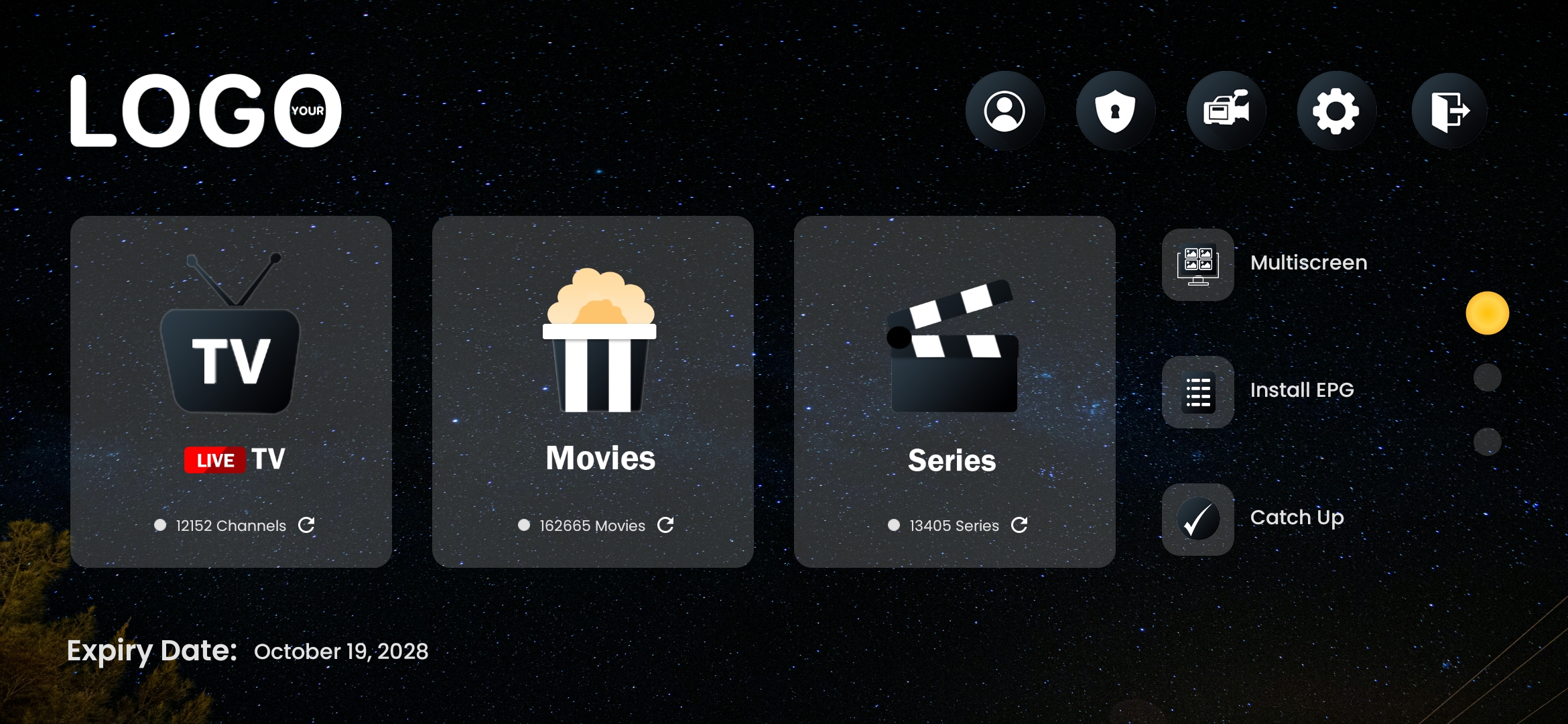
Your logo, name, colors, splash screen, and app icon. Light and dark themes. Every visual element branded to your identity.
DNS blocked? App auto-switches to a working one in seconds. Unlimited backup DNS entries managed from your panel.
OpenVPN, WireGuard, IKEv2, HTTP Proxy built directly into the app. Push profiles from your panel, users connect with one tap.
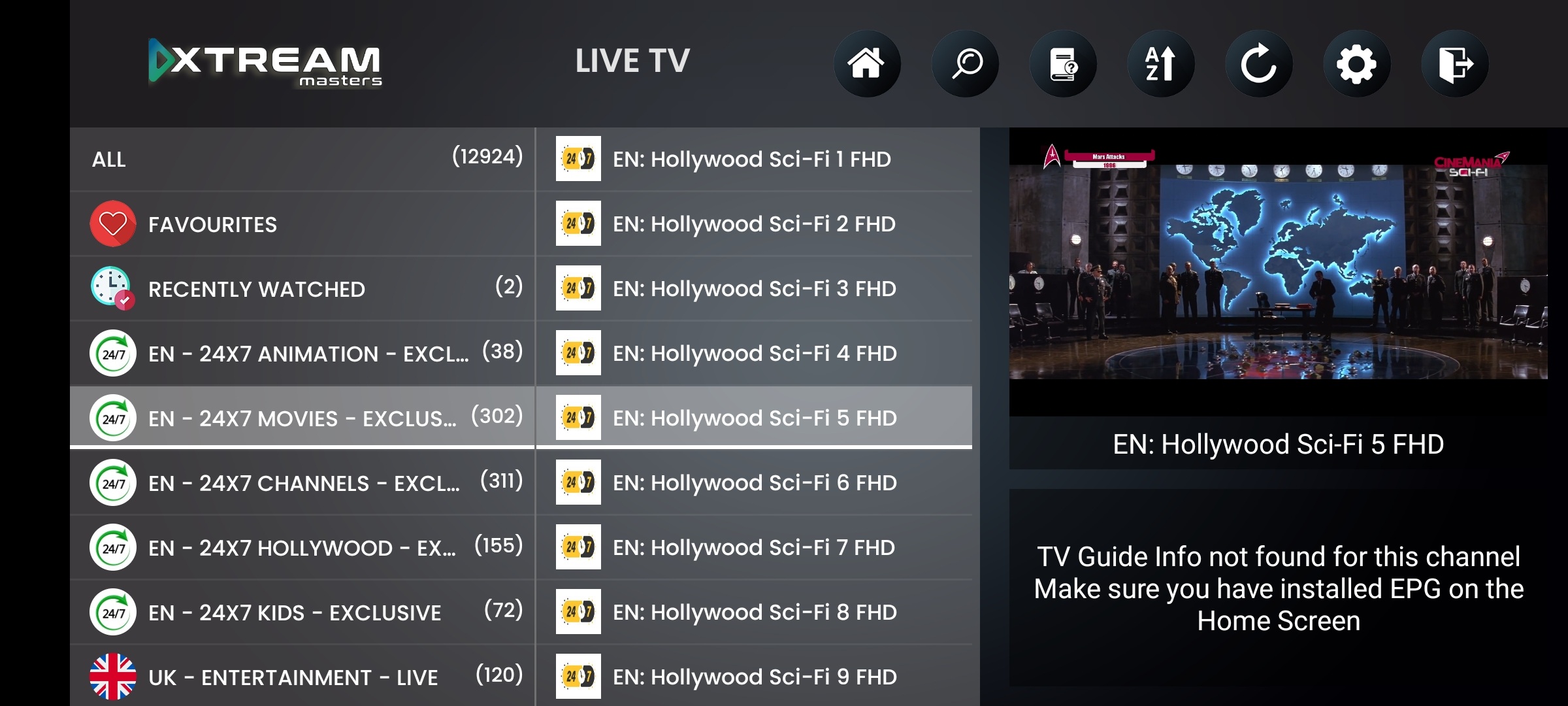
Live channels with favorites, recent list, multi-quality switching, and a full electronic program guide built in.
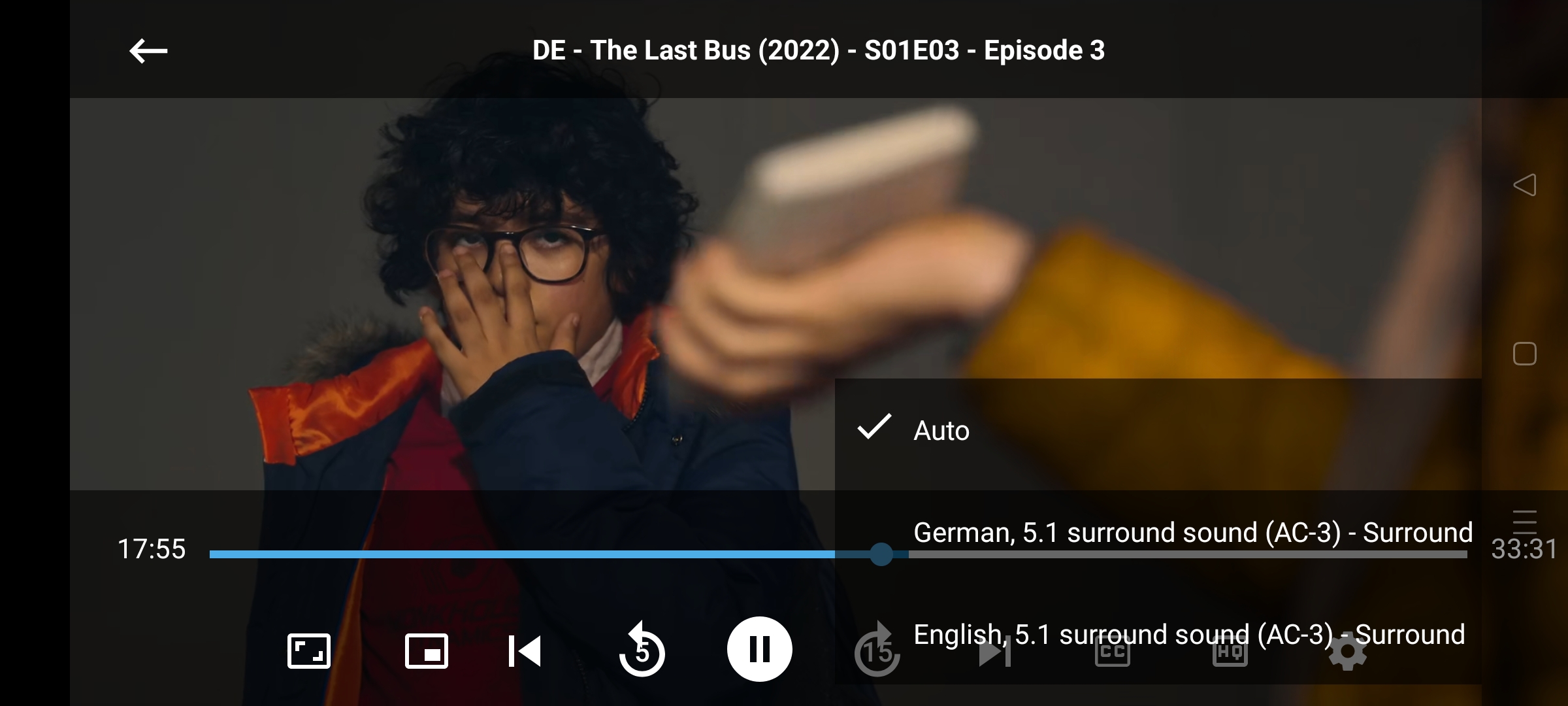
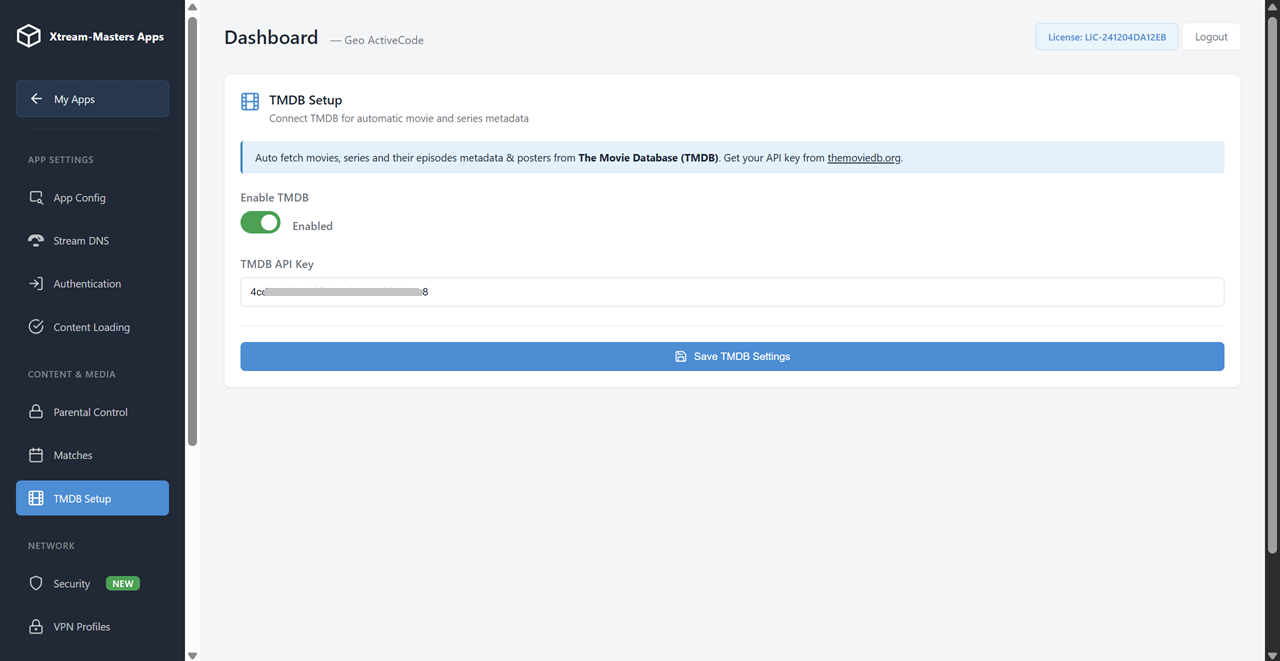
Movies and TV series with search, categories, continue watching, and watchlist. Full movie info with posters and descriptions.
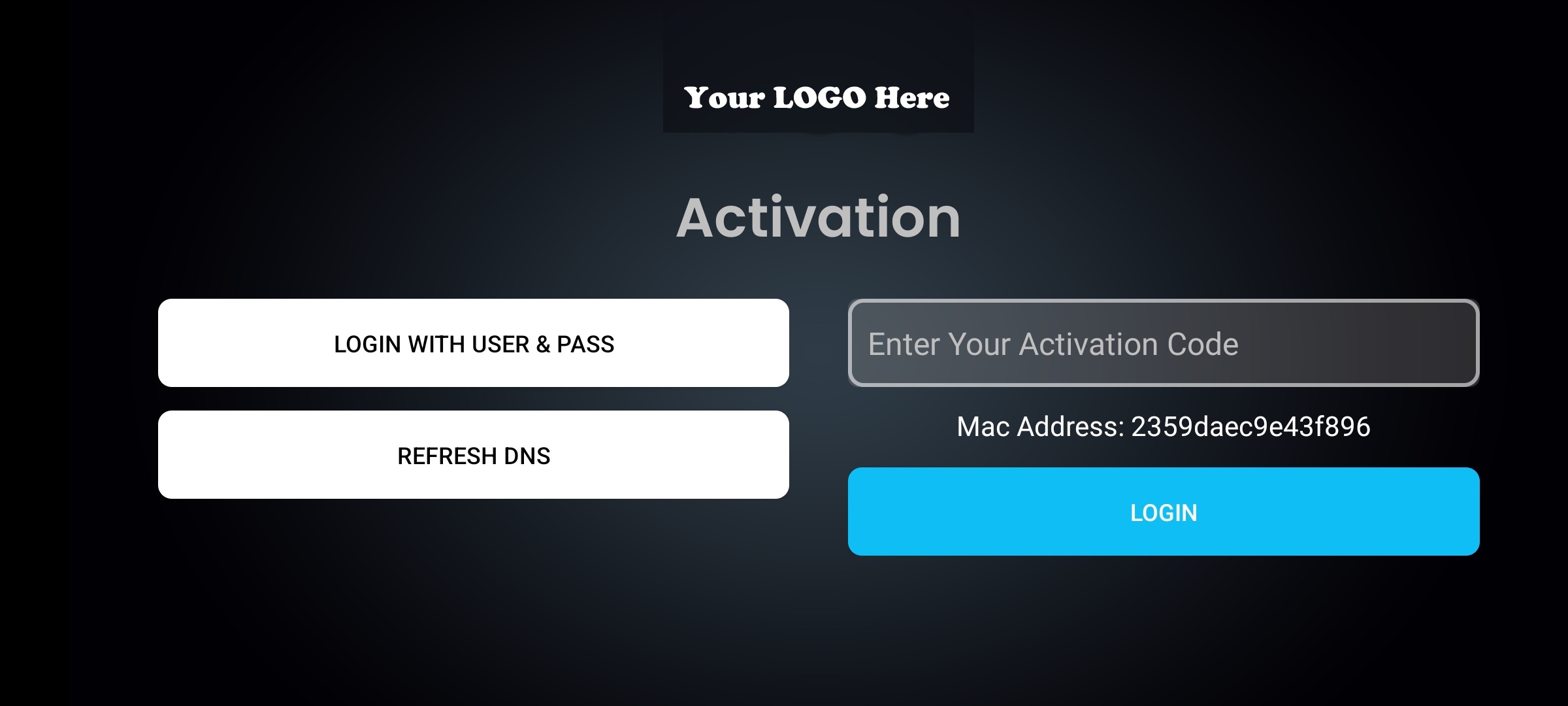
Users enter a simple activation code bound to their device. No password sharing possible. Or use traditional username/password — your choice.
PIN-lock adult content. Filter categories by keywords. Keep it family-safe — all controllable from your admin panel.
Block screen recorders, network sniffers, and unauthorized apps. Show a custom warning message to protect your content.
Apps run on Google's cloud. Every setting change from your panel reaches all apps instantly. Server down? Apps keep working.
True native Android app — not a web wrapper. Fast, smooth performance ready to publish on Google Play Store.
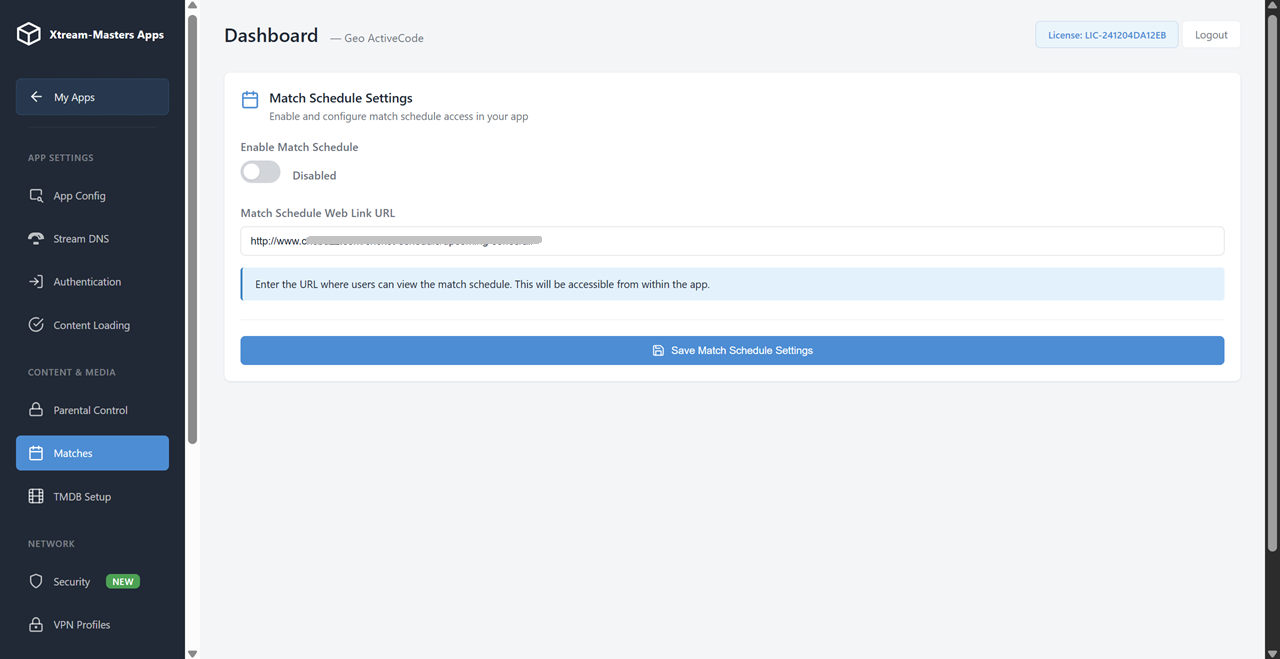
Show upcoming sports matches inside the app. Toggle on or off from your panel depending on your content offering.
Protected streams play automatically. No extra steps for your users — encrypted content just works.
Let users download movies for offline watching, or disable it entirely. Control from your panel, enforce across all devices.
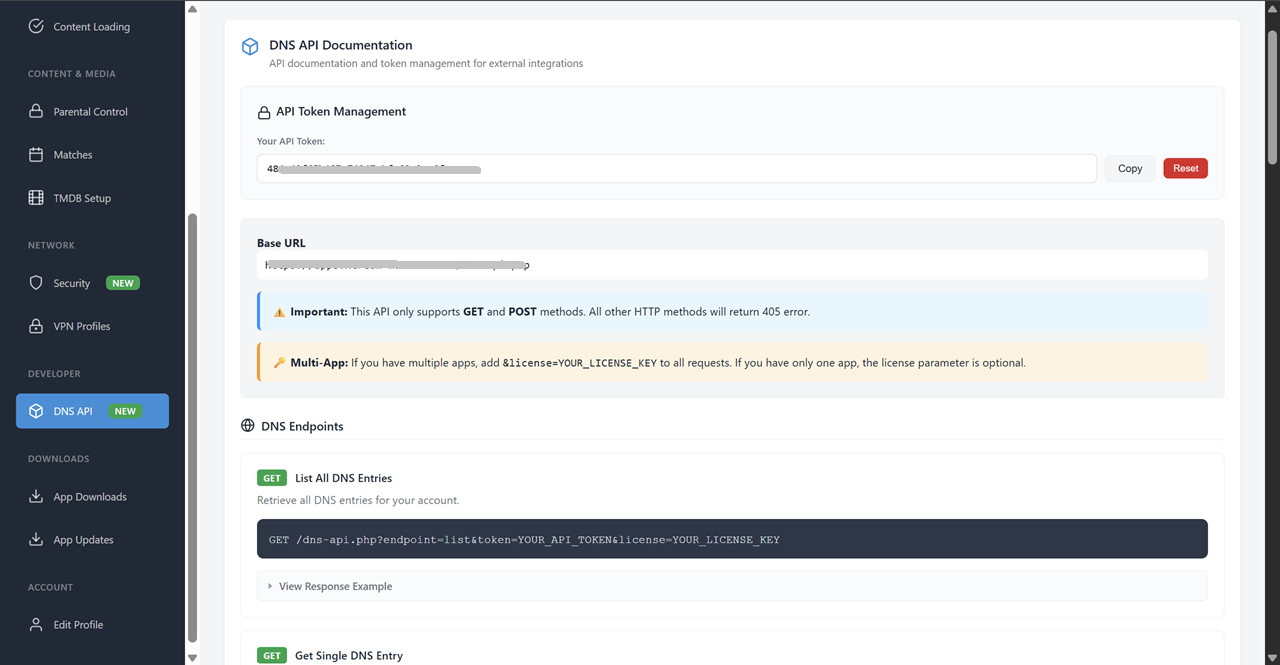
Works with Xtream-Masters OTT Panel, Xtream-Codes systems, and any compatible panel API. Full REST API for automation.
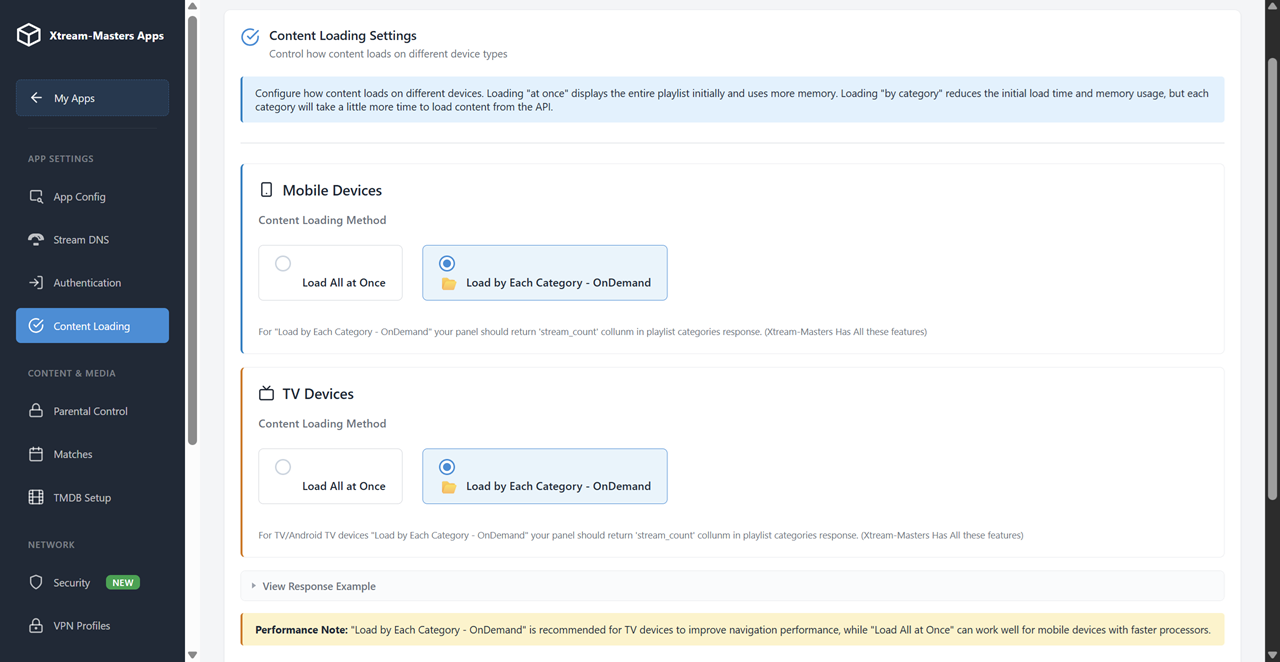
Super-fast channel and movie loading with advanced buffering technology. Smooth playback even on slower internet connections.
Change any setting from your panel — DNS, VPN, branding, security. All apps update automatically. No user reinstall ever needed.
No monthly fees. No per-subscriber charges. No revenue share. One payment, full ownership.
Thinking about building from scratch instead? Read Build Your Own IPTV App to compare approaches.
Three things from you, and we handle everything else
Your logo (PNG or SVG), app name, company name, preferred color scheme, and any design direction. We handle the rest — icons, splash screen, store graphics.
Your IPTV panel URL and API endpoint. We support Xtream-Masters, Xtream-Codes, and compatible panel systems out of the box.
Your DNS entries for auto-switch configuration and any VPN profiles (OpenVPN, WireGuard, IKEv2) you want pre-loaded into the app at launch.
Answers for providers and resellers evaluating a white-label IPTV app for their business
White-label means the app carries your brand identity end to end — your logo, your app name, your color scheme, your splash screen, and your Play Store listing. Your users see zero trace of the original developer. It looks and feels like your own proprietary app.
You receive a ready-to-deploy APK + AAB (Android App Bundle) and a full admin panel, so you can publish to Google Play and manage your app immediately. This is full ownership, not a licensing arrangement where we can revoke access. Once delivered, the app is yours.
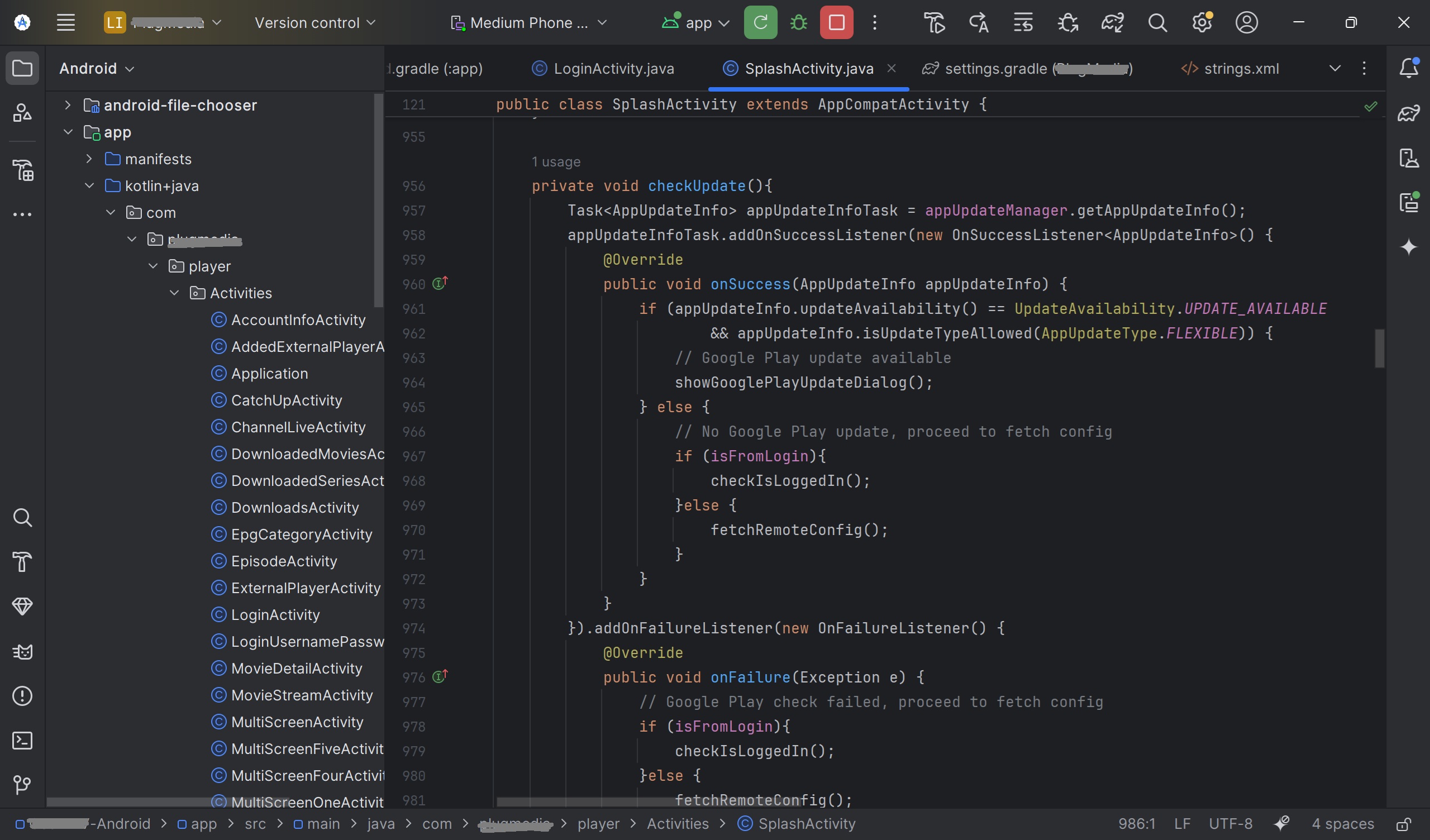
Rebranding an existing consumer app like Smarters or IBO means changing the logo on someone else's code. You don't control the features, the update cycle, or the underlying architecture. If the original developer abandons the project or changes the API, your "branded" app breaks.
Our white-label IPTV app is purpose-built for operators:
For a detailed comparison, see our IPTV App Rebranding page.
The app runs on every Android-based device your customers use:
The app automatically detects the device type and adapts the interface — touch controls for phones and tablets, remote/D-pad navigation for TV devices.
DNS blocking is the number-one way ISPs disrupt IPTV services. Smart DNS auto-switch solves this at the app level:
DNS changes push through Firebase, so they reach all user apps instantly — even if your admin panel is temporarily offline.
Four VPN/proxy protocols are built directly into the white-label app:
You push VPN profiles from your panel to Firebase. Users see a list of available servers organized by country with flag icons and connect with one tap. Users can also import their own VPN profiles from local storage.
This is the architecture that delivers 99.99% uptime. Your admin panel is the control center — it pushes DNS, VPN, branding, and security settings to Firebase (Google's global cloud infrastructure). User apps connect only to Firebase, not to your server.
This means:
Firebase's 99.99% uptime SLA is backed by Google. Your users' experience is decoupled from your infrastructure reliability.
$299 one-time. No monthly fees, no per-subscriber charges, no revenue share.
What you get for $299:
Compare that to building custom from scratch ($10,000-50,000+, 3-6 months) or enterprise white-label platforms that charge $0.50-2.00 per subscriber per month.
Yes. The white-label app works with:
If you're unsure about compatibility with your specific panel, contact support before ordering and we'll confirm.
Related pages for IPTV providers and resellers
Your brand • Smart DNS • 4 VPN protocols • Firebase 99.99% uptime • All devices • Control panel
$299 one-time. No monthly fees. Ready in 3-7 days. Ready-to-deploy APK + AAB included.